Copy and paste both the guest’s full name (both first and last)
Goal
I want to copy and paste both the guest’s full name (both first and last) for internal documentation or messaging. It’s incredibly important to get the guest’s name correct for accuracy.
Challenge
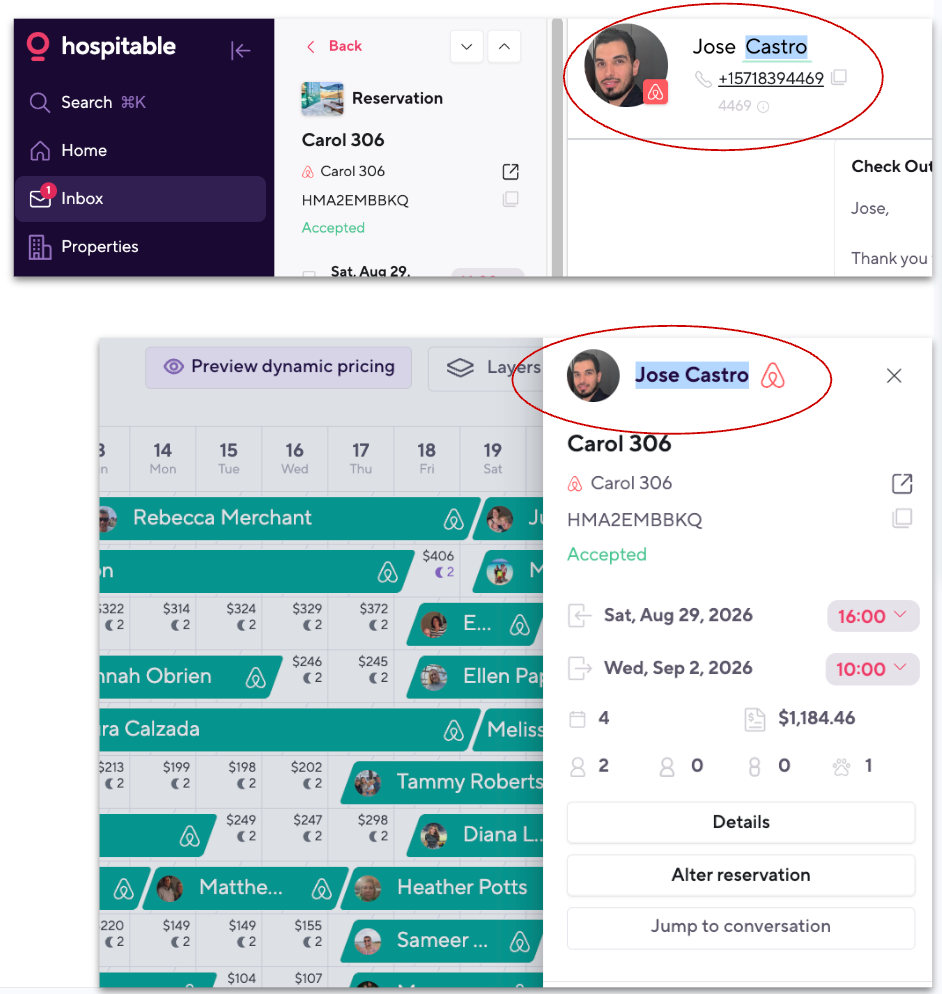
It’s not possible from the main messaging/reservation page. I am only able to highlight either their first OR last name, not both. Sometimes I will highlight the most challenging name and then type in the other name.
Workaround
Sometimes I will highlight the most challenging name and then type in the other name.
Navigate to the calendar view and highlight their entire name and then paste wherever needed.
Log in to comment and vote
No comments yet
Be the first to share your thoughts.